A KeePass app
that feels at home on iOS.

KeeForge opens your existing .kdbx vaults with Face ID, fills passwords across every app, and never asks for a subscription. It just lives on your phone, the way good tools do.

iOS 17 + iPhone & iPad KDBX 3.1 / 4.x No tracking, ever
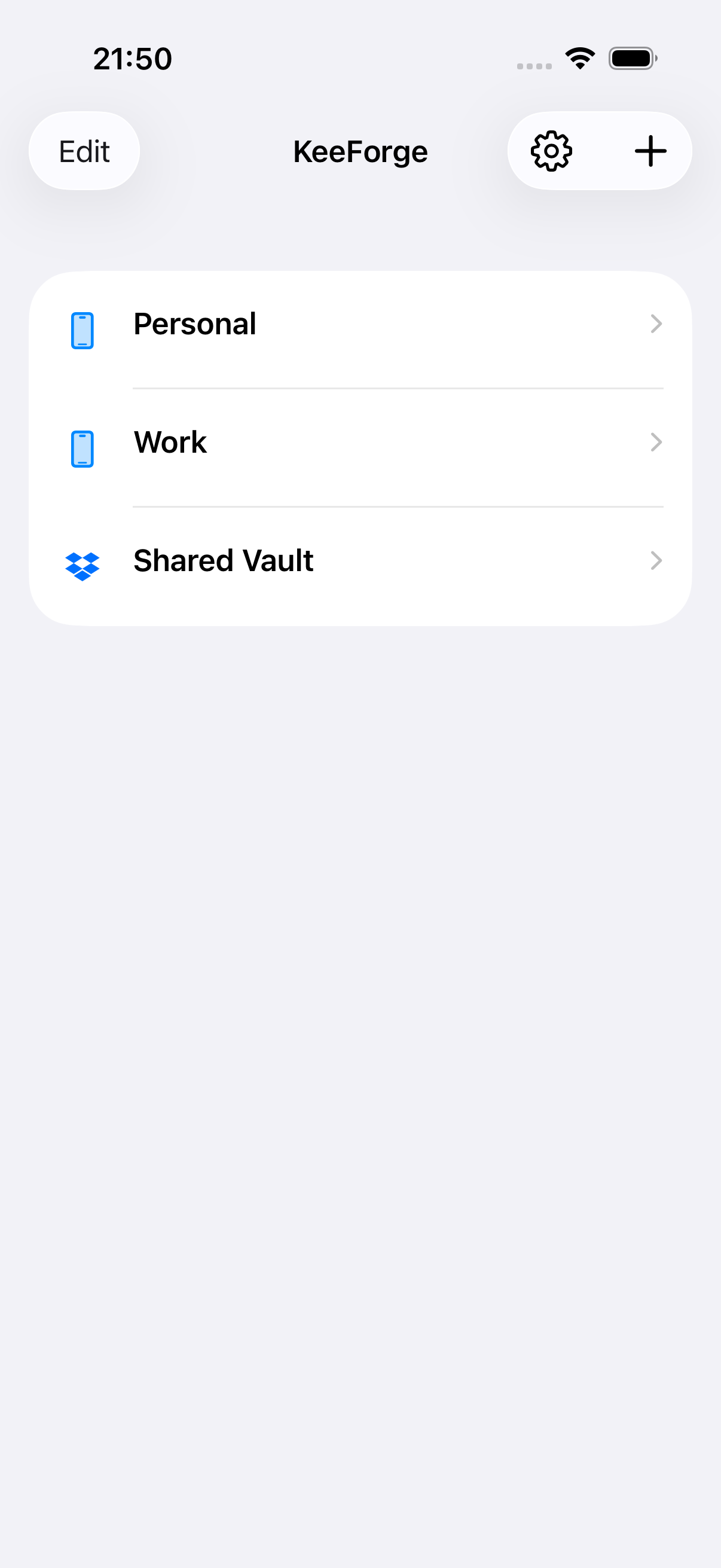
KeeForge database list screen
01
Open source
GPL 3.0. Audit every line.
02
KeePass compatible
KDBX 4.x read/write. KDBX 3.1 read-only.
03
Free, forever
No subscription, no ads, no upsells.
04
Face ID + AutoFill
Fills credentials across every app.
01 · MANY VAULTS

One home screen for every database you have.

Add .kdbx files from Files or iCloud Drive, connect Dropbox or OneDrive, or use your own WebDAV server. KeeForge keeps Personal, Work, and Shared vaults together on one home screen.

  • Open as many databases as you like, locally or from the cloud
  • Each vault remembers its nickname, key file, and preferences
  • Native Dropbox, OneDrive, and WebDAV browsing and sync
02 · ORGANIZE & FIND

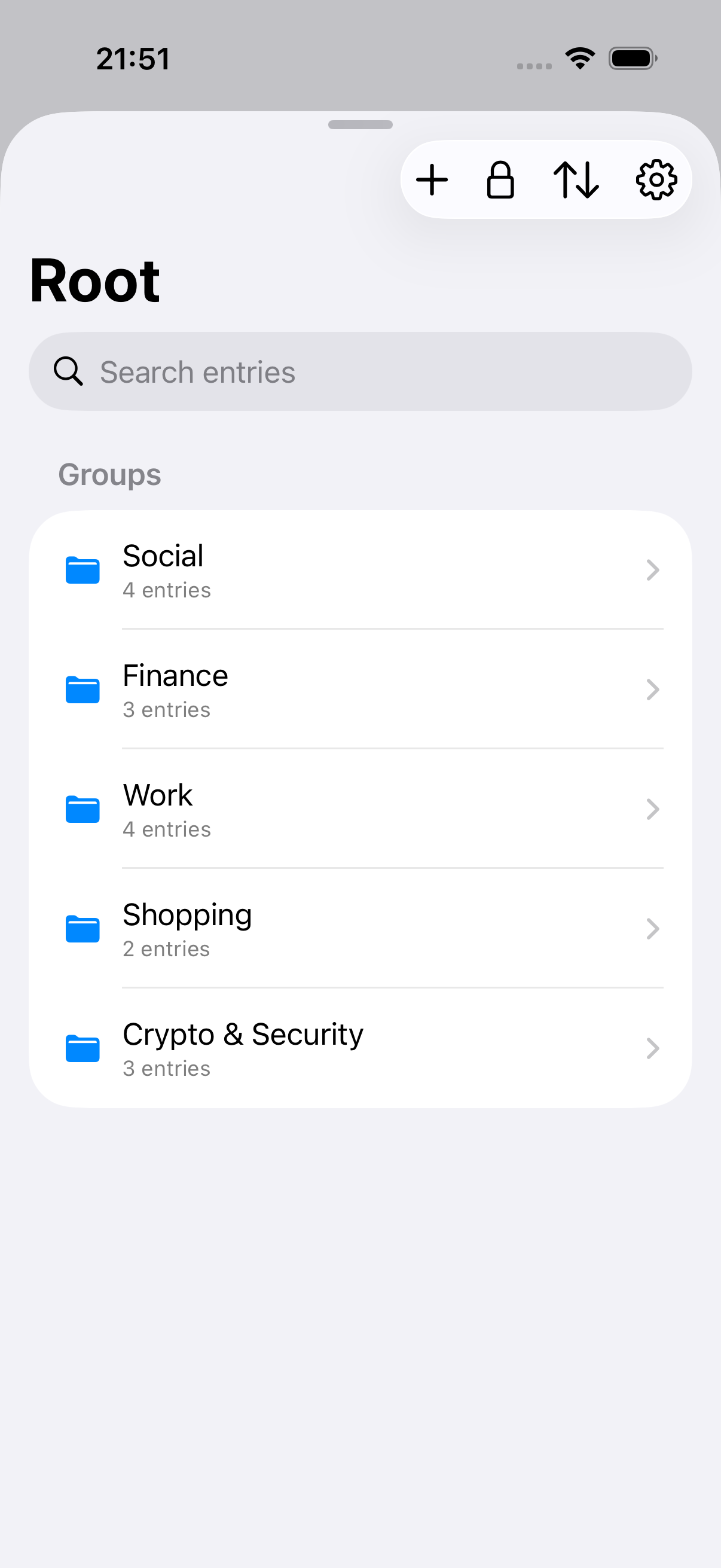
Groups, search, and the entry detail you’d expect.

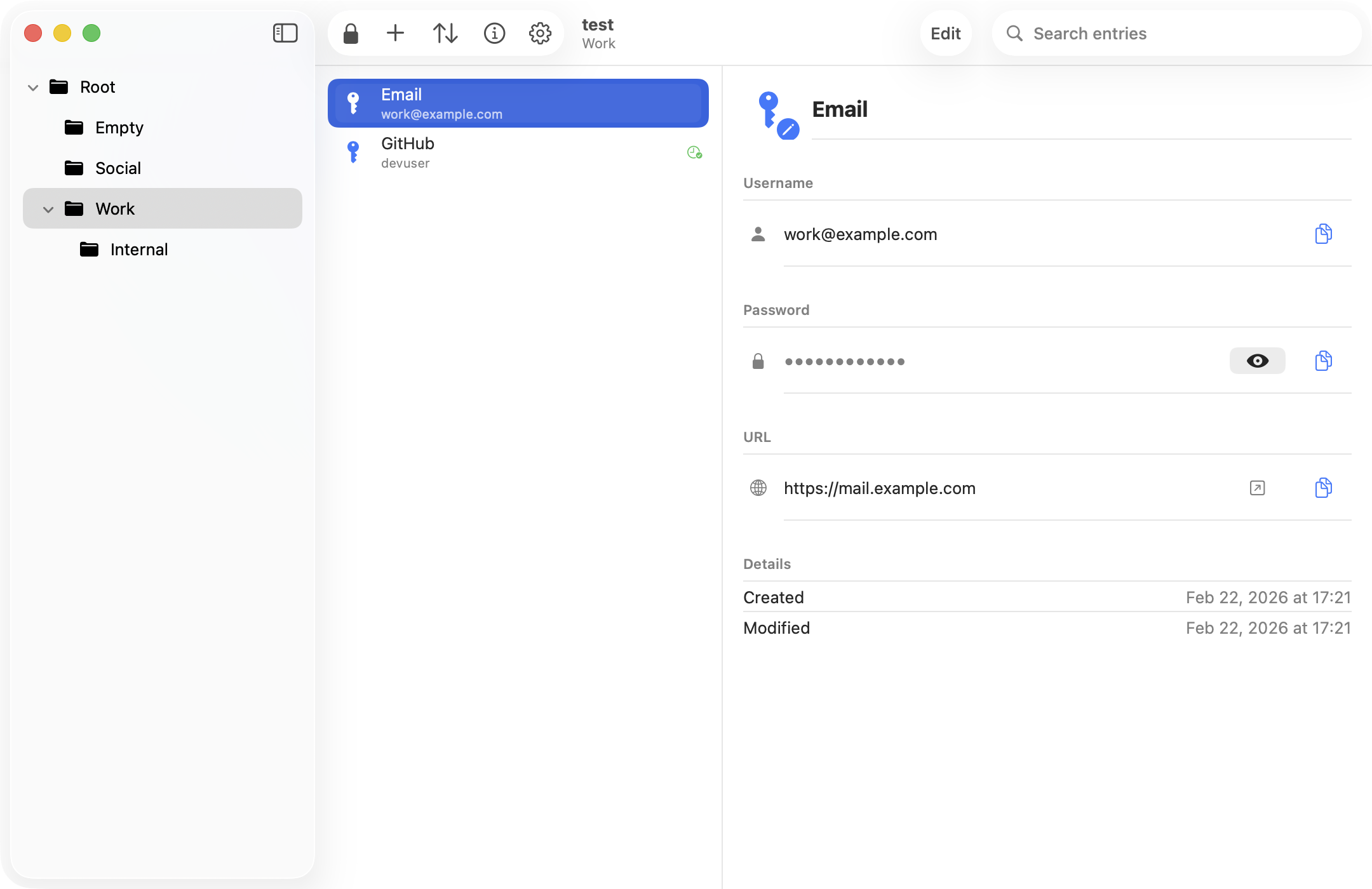
Browse by folder the way you set up your vault on the desktop. Search titles, usernames, URLs, and notes across every group. Open an entry to copy, reveal, or jump to the URL.

  • Hierarchical groups, just like KeePassXC
  • Create groups or move entries and groups to the Recycle Bin
  • Preview and share entry attachments without exporting your vault
03 · EDIT ON DEVICE

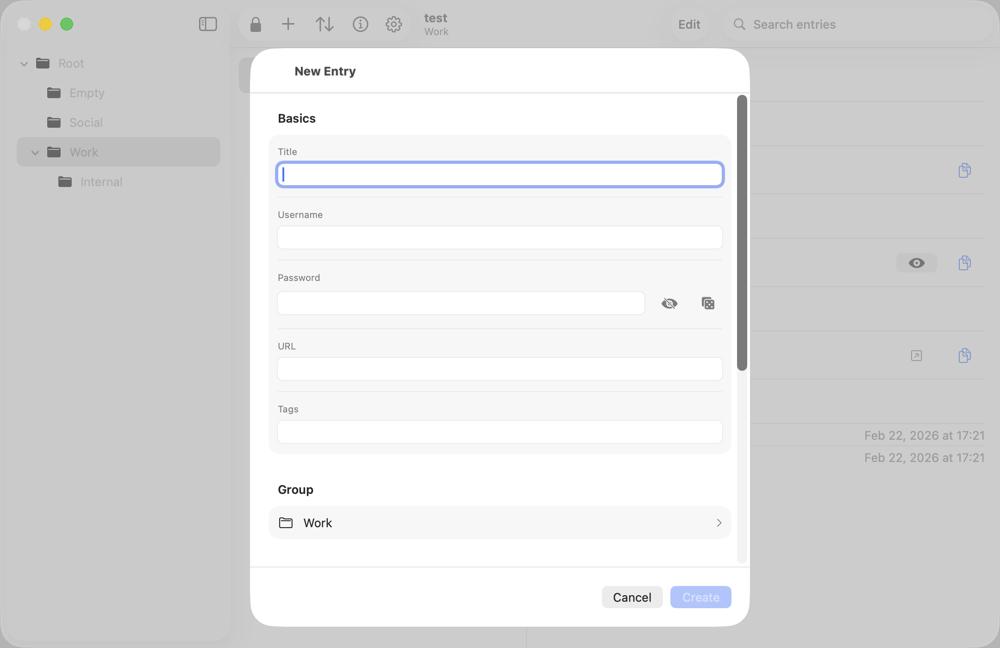
Create and edit entries without leaving your device.

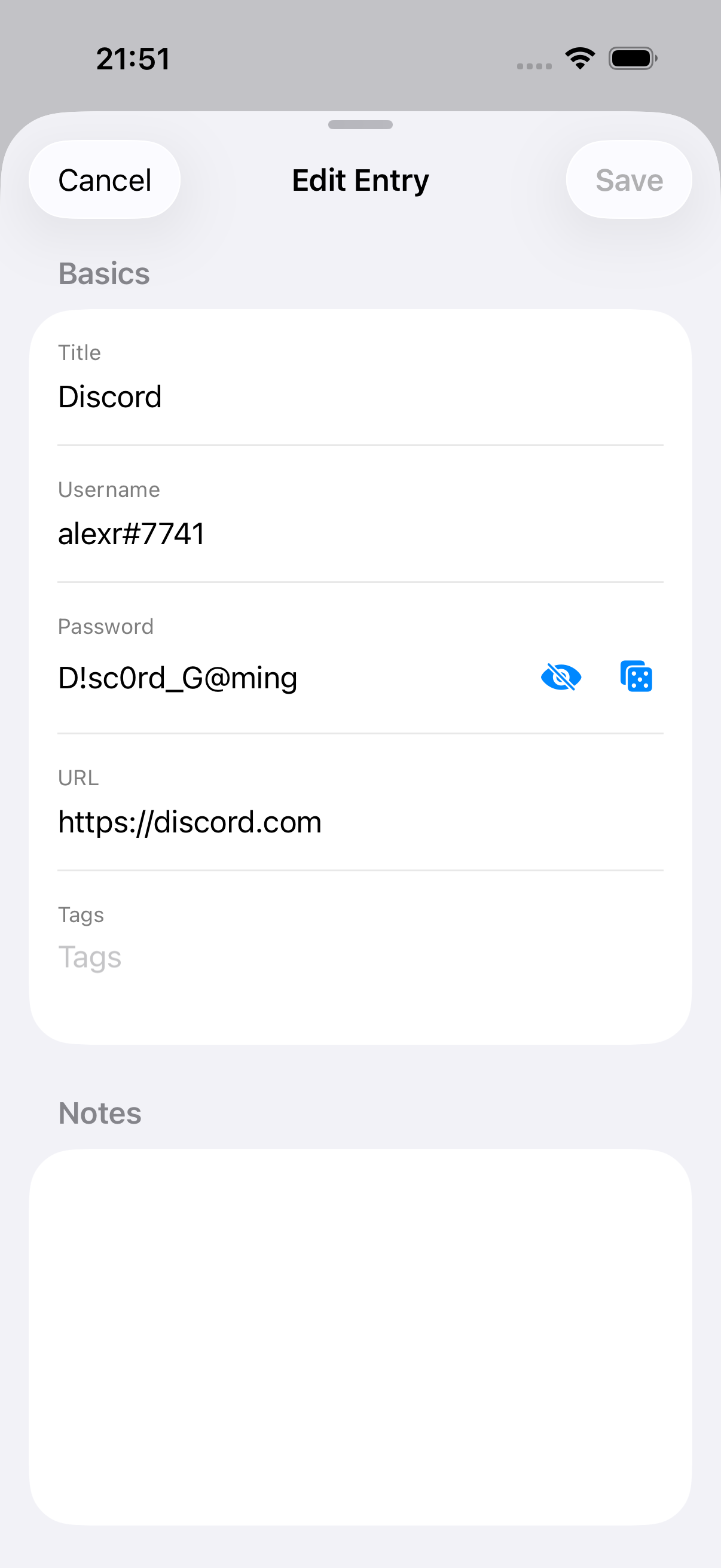
Edit titles, usernames, passwords, URLs, tags, and notes. Generate a strong password with one tap, then save encrypted changes directly back to the source .kdbx file.

  • Create new KDBX 4.x vaults locally or in connected cloud folders
  • Conflict checks and timestamped backups protect every save
  • Read-only mode per database when you do not want changes
HOW IT COMPARES

Already using a password manager? Here’s where KeeForge fits.

01 / 03

vs iCloud Keychain

  • KeePass .kdbx vaults work with desktop tools (KeePassXC, KeePass 2.x) and across non-Apple devices.
  • Your encrypted database is portable — back it up locally, sync via Dropbox, OneDrive, or WebDAV, or store it offline.
  • Open source code you can audit, with no telemetry of any kind.
02 / 03

vs 1Password & Bitwarden

  • No subscription, no account, no vendor lock-in. Your vault is a file on your device or your own cloud.
  • Compatible with the open KeePass ecosystem — KeePassXC, Strongbox, KeePassium, Keepass2Android.
  • GPLv3 open source. Every line is auditable, with zero analytics or telemetry.
03 / 03

vs other iOS KeePass clients

  • Native Swift, built for iOS 17+ with current platform features (passkeys, TOTP AutoFill, Files integration).
  • Free forever, all features included — no premium tier, no in-app paywalls (just an optional tip jar).
  • Saves are conflict-detected and auto-backed-up; AutoFill works offline for cloud-backed vaults.
BUILT IN THE OPEN

One developer.
Public commit history.

KeeForge is built by one person, in the open, on GitHub. File an issue, send a pull request, or just read the code before you trust it with your secrets — that’s the whole point.

README.md
FAQ

Questions,
answered plainly.

Yes — free on the App Store, no subscriptions, no ads, no premium tier. If you’d like to support development, star the repo or buy me a coffee.

KeeForge reads and writes KDBX 4.x databases using AES-256 or ChaCha20 with AES-KDF or Argon2. Password-only KDBX 3.1 databases open in read-only mode.

In your encrypted database on your device or in storage you choose, such as iCloud Drive, Dropbox, OneDrive, WebDAV, or another Files provider. KeeForge does not host your vault.

KeeForge registers as an iOS Credential Provider. Tap a login field anywhere, choose KeeForge, authenticate with Face ID, and your credentials are filled.

Read the code. Build it yourself. Or trust the App Store review process plus a public commit history — that’s more than most password managers offer.